2.0.1: New improvements to Speed Up your study flow! 💨
Welcome back! 👋
This weekend, we rolled out 3 quick but powerful updates you won’t want to miss.
Check them out! 👀
1. Double-Click to Edit flashcards 🖱️
Editing just got twice as fast! 🏃
Now, you can double-click on the text field in flashcard view or study mode to jump straight into editing👇
✨Pro tip:
Adam, a 4th-year med student from Dublin, shared this smart framework:
Auto-generate cards from your professor’s PDF before class.
During class, use flashcard view to tweak cards as you follow the lecture.
Boom! You've got lecture notes and flashcards in one go!
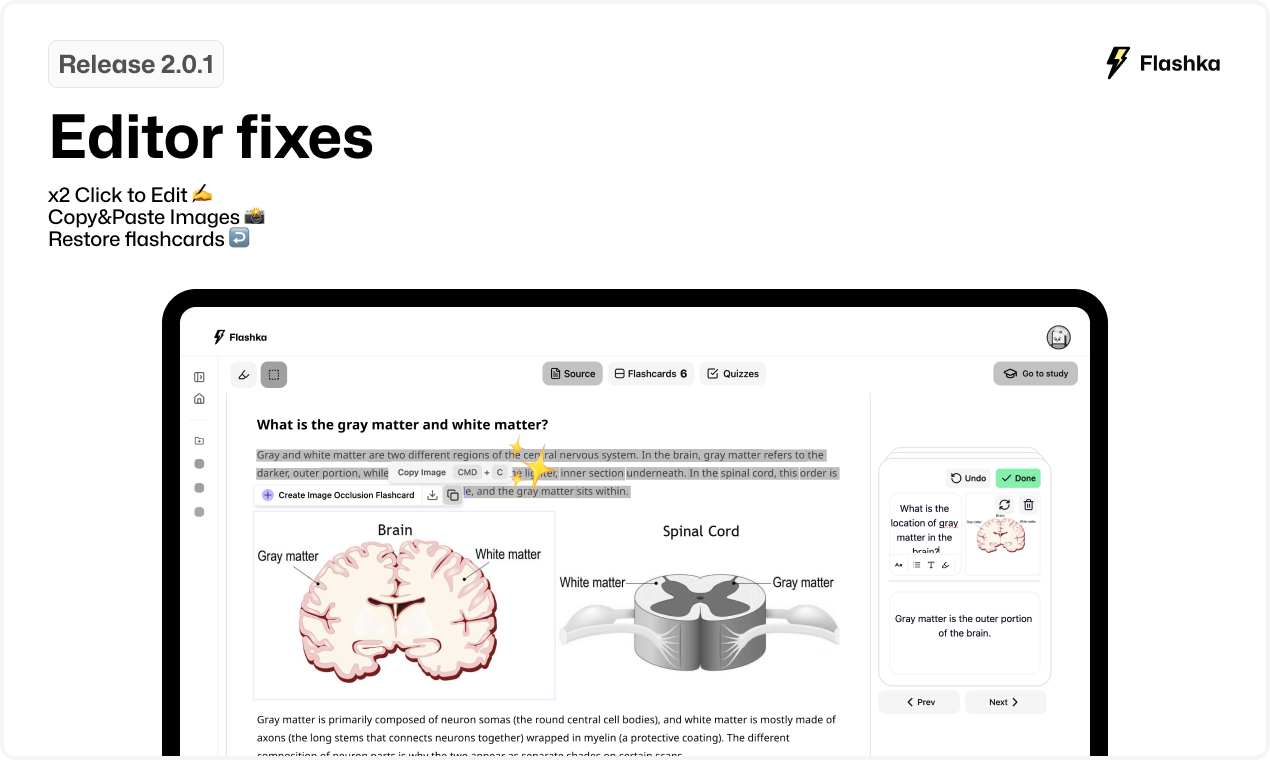
2. Copy&Paste images from rectangle tool 📸
Adding images is now lightning fast!⚡️
Thanks to your feedback, we’ve prioritized this feature.
Just copy an image from the rectangle tool selection and paste it directly into your flashcards (Cmd + V). It’s that easy! 👇
3. Restore your deleted flashcards ↩️
Oops, accidentally deleted a card? 😰
Don’t worry!
Now, you can restore it with a quick undo popup in the bottom-left corner. Crisis averted!
Here’s an example👇
Give these new features a try and let us know what you think!
Drop a comment or emoji to share your thoughts and feedback😊
Happy studying! 💜