2.3.0: Type the Answer is here! ⌨️
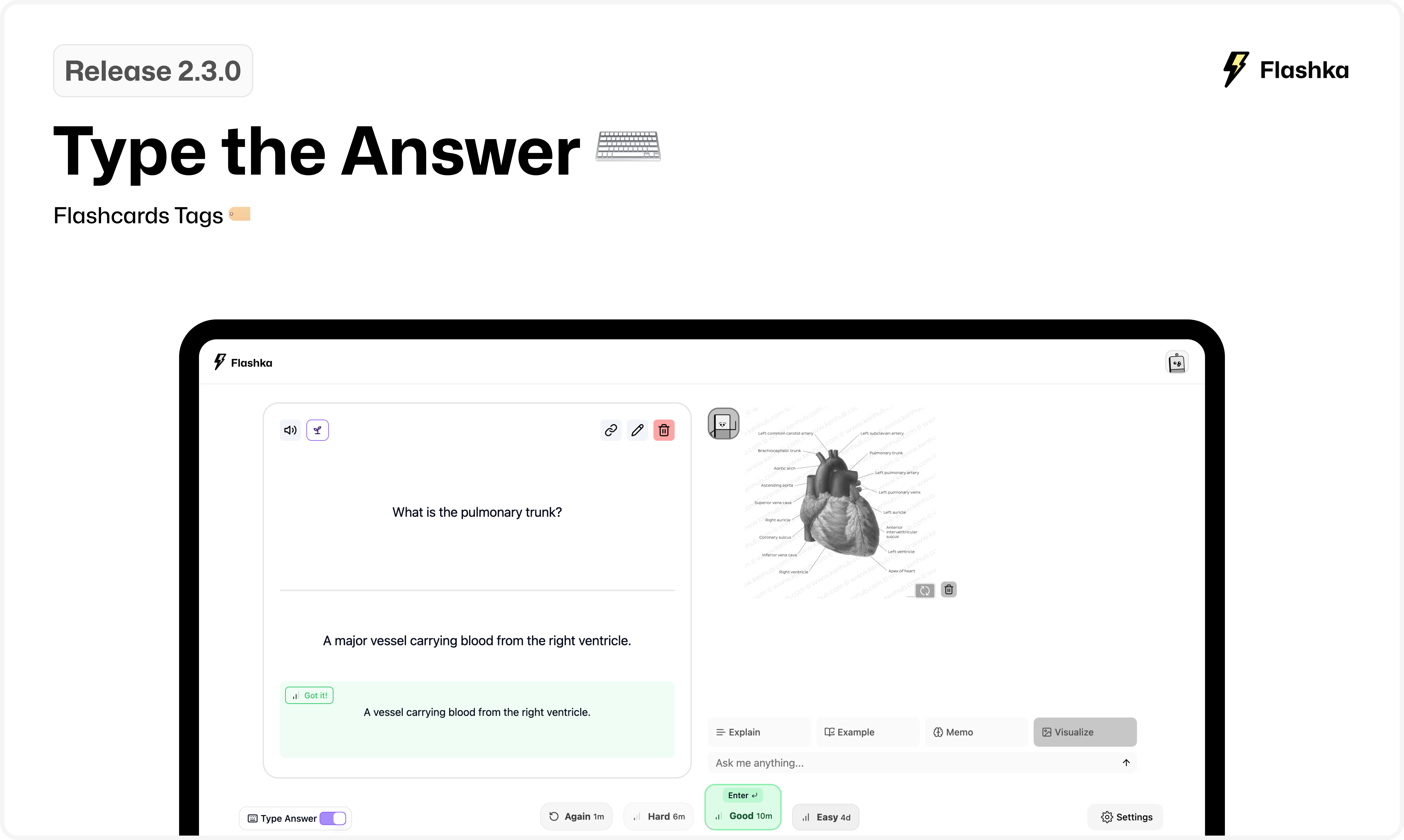
This week, we’ve introduced a fresh new way to study flashcards: Type the Answer!
Plus, we’ve added helpful tags to track your progress. Check out the details below👇
1. Type the Answer ✍️
You can now actively recall your flashcards by typing your answers!
Here’s how it works:
1. Activate the Typing mode with the switch button in the bottom-left corner
2. Type your response.
3. Professor Ka evaluates it in seconds.
4. Hit “Enter” to accept the AI’s suggestion, or choose another review option if you’re not satisfied.
We’re proud to say that this feature is completely free to use and accessible to everyone :)
Hope it will make your studying waaay better.
2. Tags in Flashcard View 🏷️
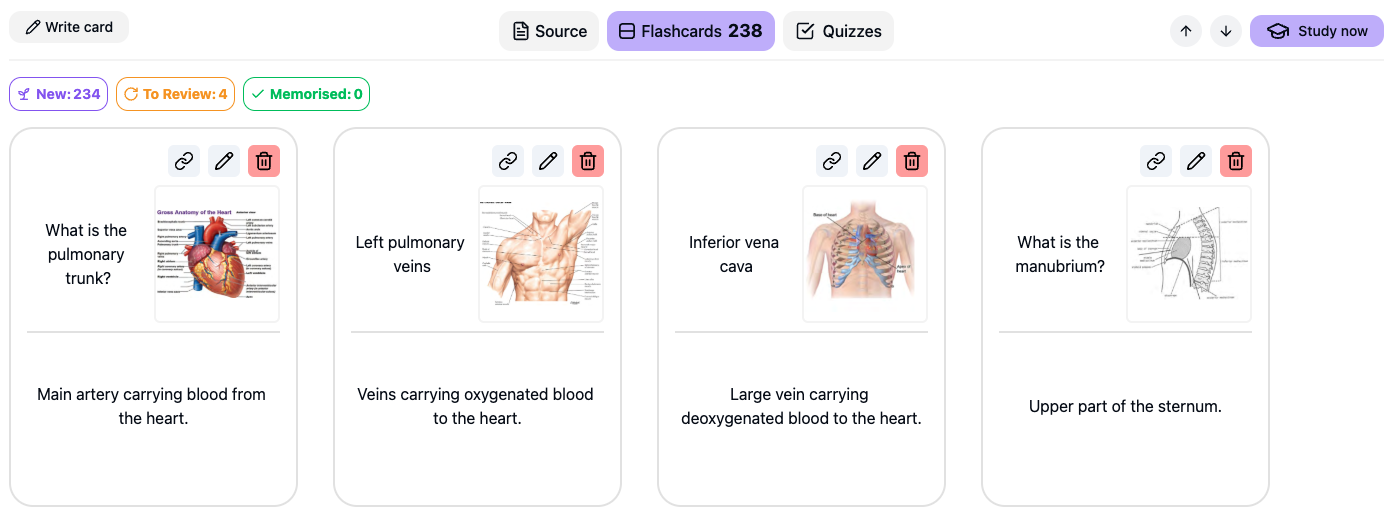
We’ve added new tags in Flashcard View to help you track your study progress more easily:
New Cards 🌱
To Review 🙇
Memorised 🧠
Critical (Leech) ⚠️
Coming Soon: Xmas Cleanup 🎄
We’ve added tons of features this semester, and now it’s time to polish everything up —especially for mobile!
What should we polish?
Let us know what you'd like to improve by emailing simone@flashka.ai or use our Discord channel :)
Give these updates a try and share your thoughts!
Even a quick emoji helps 👇
Happy studying! 📚
From Flashka Team with 💜