3.4.0: Flashcards from Photos + SubFolders Upgrades 📸
Hey Flashka fam! 👋
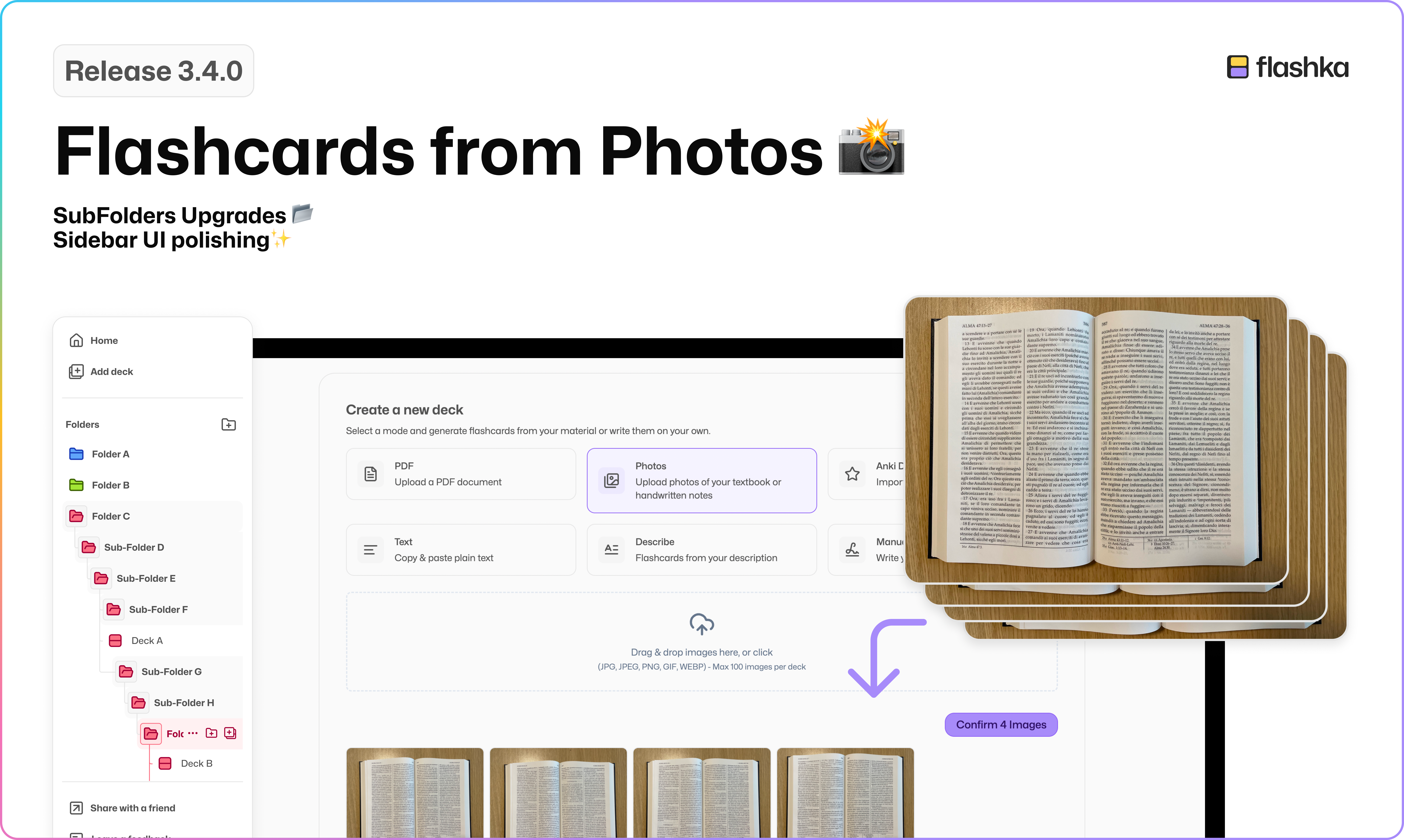
This week we’re bringing something many of you have been asking for: a way to turn your handwritten notes, textbook snapshots, and screenshots into flashcard, just like you do with PDFs!
Plus, we’ve polished the sidebar interface and added some handy folder features to make everything feel smoother and more intuitive 🔧
Let’s dive in 👇
📸 Flashcards from Photos
You can now upload photos (png, jpg, jpeg, gif, webp) of:
• Textbooks
• Handwritten notes
• Screenshots
• …any photo with text!
The experience is exactly like PDF uploads:
Upload your photos
Highlight the parts you care about, or simply click Autogenerate
Flashcards will be generated with the source photo automatically attached, so you can always trace back the original content 🔍
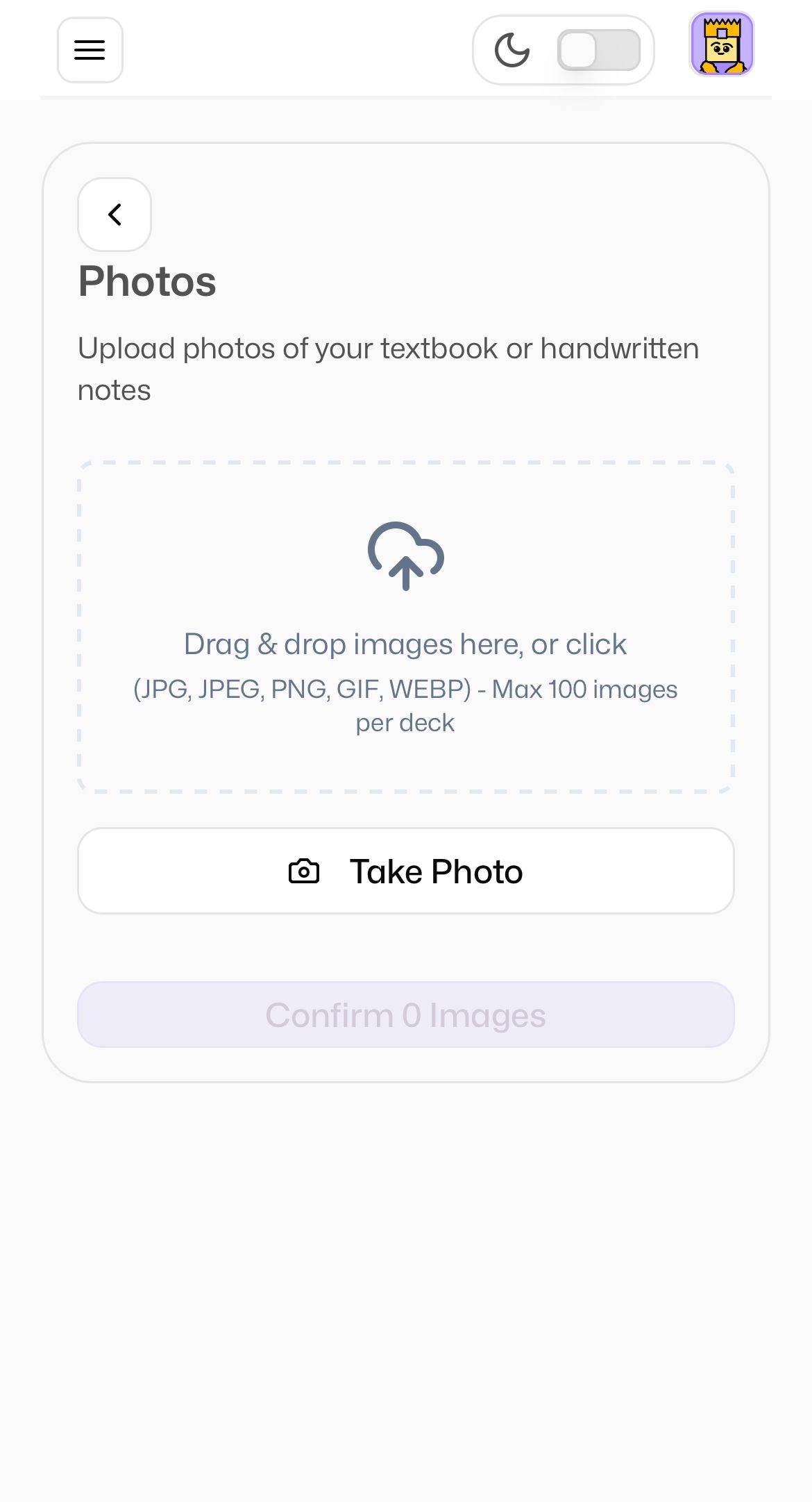
On mobile you can even take photos directly with your camera!
Perfect for studying on the go or grabbing content from physical pages in seconds.
📂 Collapsable Folders and Hover buttons
Based on your feedback about the subfolder system, we added two new features to boost your workflow:
Collapsible Folders: You can now collapse a folder without navigating into it, now you can keep things tidy and focused
Hover Buttons: Hover on any folder or subfolder to see quick-access buttons for adding a new folder or deck right there :)
✨ Other UI Fixes & Improvements
We’ve been doing a little spring cleaning to make things smoother and easier to use:
🌐 Floating Sidebar Styling refined
🖱️ Stroke Button Sizes on Hover feel more responsive
📁 New Deck & Folder Icons (including opened state)
These changes should make your daily study flow just a bit more delightful 💅
Got ideas or spot a bug?
Email simone@flashka.ai or drop your thoughts in Discord 💬
Try the new features and let us know what you think
Even a quick emoji helps 👇
Happy studying! 📚
—Flashka Team 💜